Kairos event management system is not “calendar software.” It's' management features are built to support operational planning at scale—combining calendar scheduling,
structured metadata, attachments, activity logging, and direct linkage to mission-relevant assets (space, ground, spectrum, and data channels). Each event is an operational container that includes:
-
A mission coordination workspace
-
A multi‑level security‑aware event package builder
-
A federated asset‑linking engine
-
A collaboration + traceability platform
-
An API‑driven integration layer
This places it closer to tools like Jira Ops, ServiceNow Major Incident, Everbridge, or mission scheduling systems—not Google Calendar or Outlook.
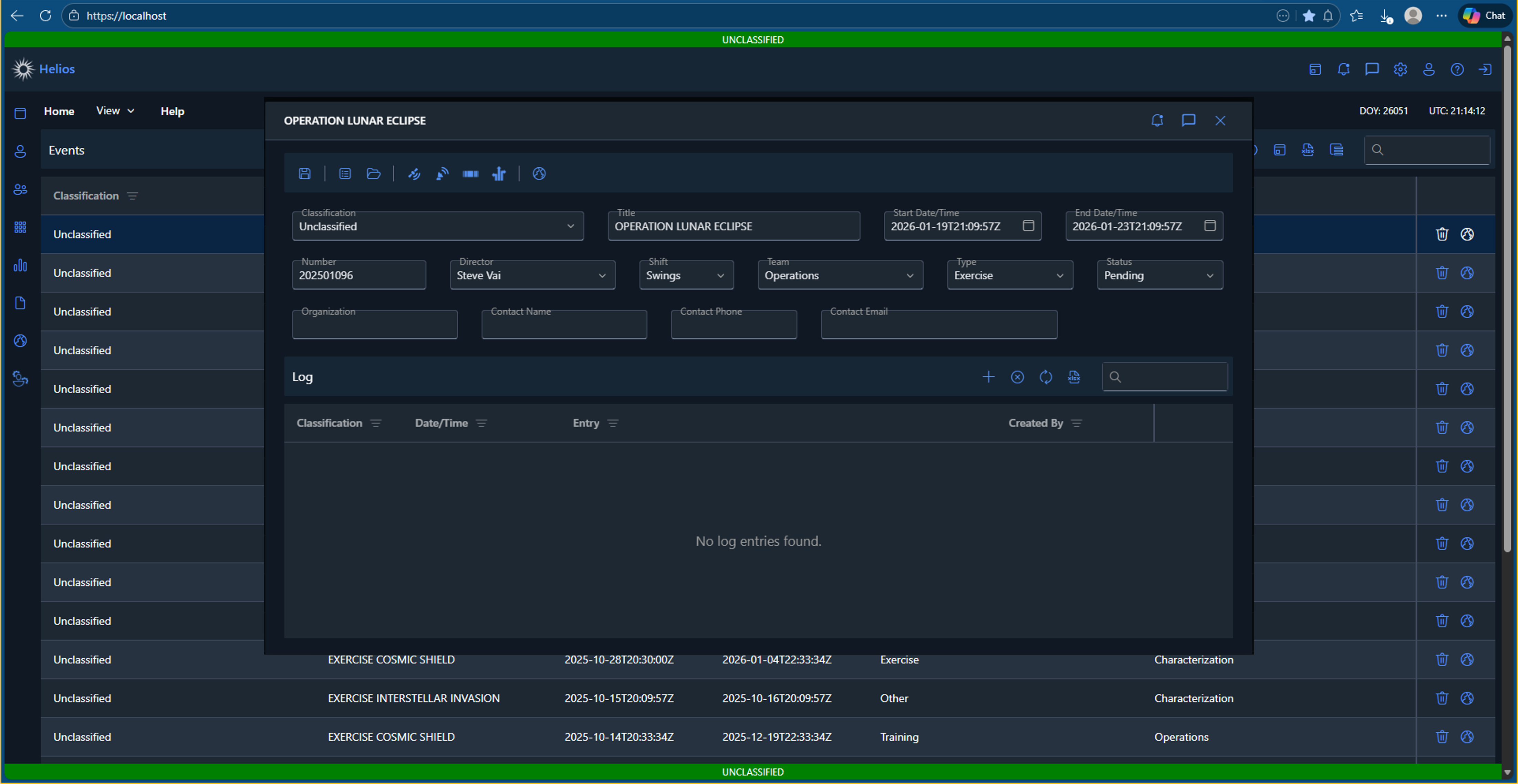
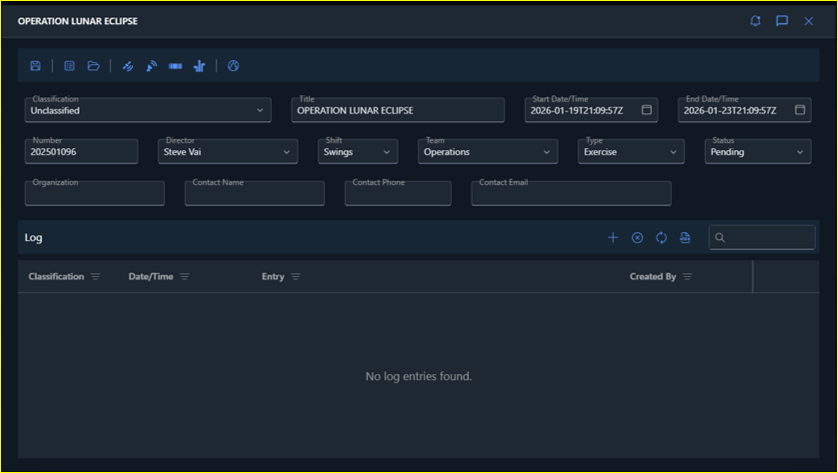
A unified “Event” record
Each event is a first-class object with the metadata teams typically need to coordinate work:
-
Title + event number
-
Start / end date-time (supports all-day semantics in the model)
-
Classification
-
Type, status, shift, director, team
-
Organization + point-of-contact details (name, phone, email)
-
Notes / description
This keeps events searchable and filterable while still capturing the operational context required for traceability.
Two ways to plan: grid view and calendar scheduling
The events module supports a paged list experience backed by server-side loading (paging, sorting, filtering). This keeps the UI responsive even with large event volumes.
Common workflows supported here:
- Find events by title search
- Sort by start date (default) or other columns
- Jump into an event’s full detail view in a single click
Scheduler-first planning (time-range based)
For teams that plan primarily by time blocks, the module also includes a scheduler experience designed around a selectable range (day/week/month/timeline views). Notable scheduling usability features:
-
Range-aware loading (only loads the time window you’re looking at)
-
Context menu support for right-click interactions on appointments and empty cells
-
Fast navigation across views without losing the current selection context
Structured event form
The event editor uses validated fields (e.g., required classification/title/start/end) and is designed for rapid updates without constantly losing work.
A practical detail: edits are staged in session state (tracked as “dirty”) so accidental closes/navigation are less likely to destroy in-progress changes.
Every event has an Event Log grid for capturing operational notes and timestamped entries. This is useful for:
-
Decision traceability
-
Audit‑friendly exports and structured workflow
-
Shift turnover continuity
-
Recording notable changes, anomalies, or coordination points
Log entries support classification metadata and can be created/updated/deleted through the event services.
Attachments (files tied directly to the event)
Events include a built-in file manager workflow:
-
Upload files directly into the event
-
Apply classification and category metadata
-
Keep supporting documents (briefs, imagery, reports, screenshots) bound to the event record rather than scattered across shared drives
Asset linkage: build the operational “scope” of the event
The workspace loads dedicated modules for:
-
Orbital Stations
-
Ground Stations
-
Spectrum Assets
-
Data Channels
This turns an event into a real operational package: not just “something happening at a time,” but “something happening with these assets.” It also enables downstream workflows like pulling orbital station data formatted for Earth visualization.
Built-in collaboration touchpoints
The event popup toolbar exposes:
-
Notifications (quick awareness without leaving the event context)
-
Chat (coordination directly attached to event work)
API-driven by design (easy integration)
Event management is supported by authenticated endpoints that map cleanly to common integrations:
-
Retrieve event lists (paged): GET /Events
-
Current events: GET /Events/GetCurrentEvents
-
Upcoming events window: GET /Events/GetUpcomingEvents?startDate=...&endDate=...
-
Single event details: GET /Events/GetEvent/{uid}
-
CRUD: POST /Events/CreateEvent, PUT /Events/UpdateEvent, DELETE /Events/DeleteEvent
-
Event log access + CRUD: GET /Events/GetEventLog/{eventUid}, plus create/update/delete endpoints
-
Linked assets: orbital/ground/spectrum/data channel getters per event
These endpoints support UI experiences today and enable future automation (imports, reporting, dashboards) without rework.
Why this event management system works best
Kairos event management isn’t just a calendar—it’s an operational container:
-
Plan (scheduler + grid)
-
Package (event metadata + linked assets)
-
Document (event log + attachments)
-
Coordinate (notifications + chat)
-
Integrate (clean services layer)